What Is Phishing Attacks? A Comprehensive Guide to Staying Safe Online
In an era where our lives are inextricably linked to the digital world, security has become more than just a technical requirement—it is a necessity for survival. Among the myriad of cyber threats, one term consistently surfaces as the most prevalent and dangerous: Phishing.
But what exactly is a phishing attack, and why does it remain so effective despite decades of technological advancement? This comprehensive guide will walk you through everything you need to know about phishing, from its psychological roots to advanced prevention strategies that can safeguard your personal and professional data.
Understanding the Basics: What Exactly is Phishing?
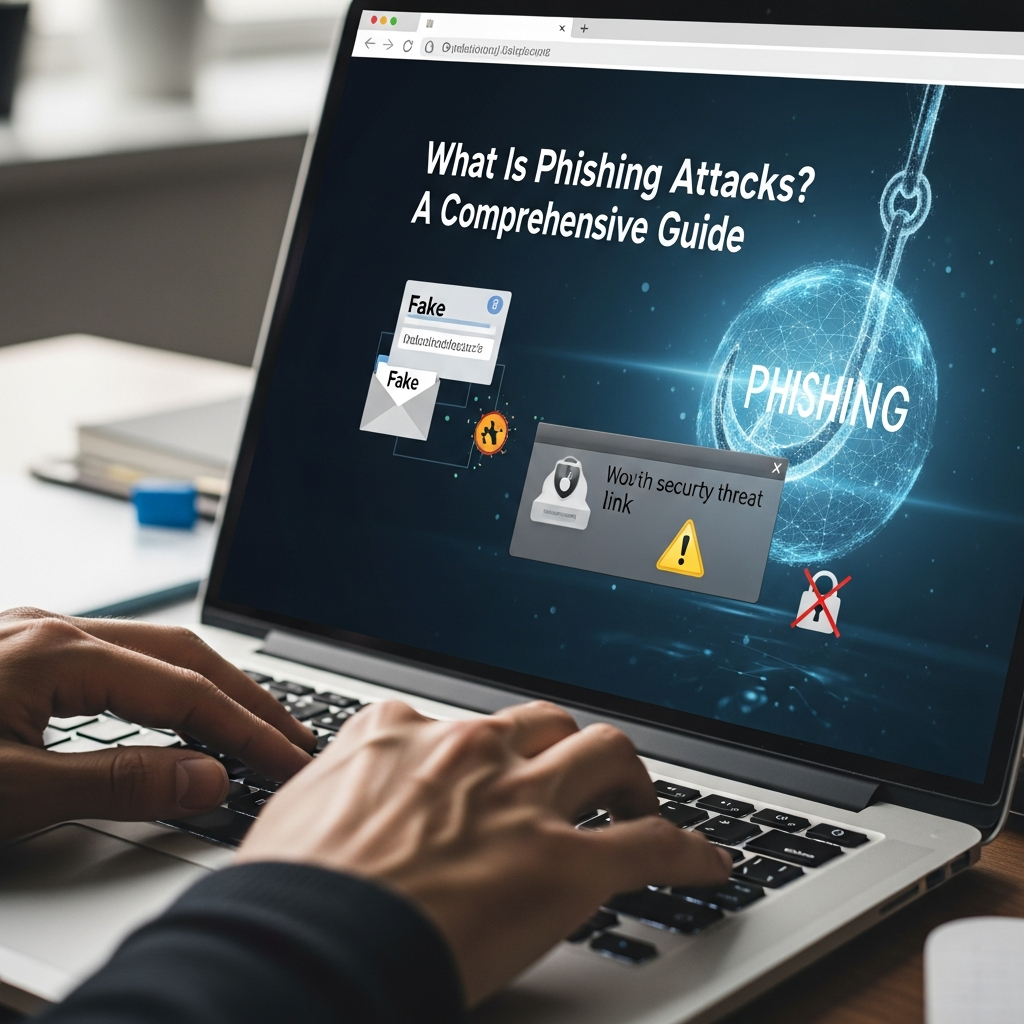
At its core, a phishing attack is a type of social engineering attack where a perpetrator masquerades as a trusted entity to deceive victims into revealing sensitive information. This information often includes login credentials, credit card numbers, or proprietary corporate data.
Unlike traditional hacking, which might involve exploiting a software bug or a hardware vulnerability, phishing targets the “human element.” It exploits human psychology—trust, fear, urgency, or curiosity—to bypass the most sophisticated security firewalls.
The term “phishing” is a play on the word “fishing.” Just as a fisherman uses bait to catch a fish, a cybercriminal sends out digital “hooks” (emails, messages, or websites) hoping that a user will “bite” and provide the requested information.
The History and Evolution of Phishing
Phishing is not a new phenomenon. It dates back to the mid-1990s, specifically targeting users of America Online (AOL). Early attackers would pose as AOL employees to steal user passwords. Over the decades, these attacks have evolved from poorly written, generic emails into highly sophisticated, AI-driven campaigns that are nearly indistinguishable from legitimate communications.
Today, phishing has grown into a massive underground economy. With the rise of Phishing-as-a-Service (PhaaS), even low-level criminals can purchase ready-made phishing kits to launch professional-grade attacks with minimal technical knowledge.
The Psychology Behind the Hook: Why Phishing Works
You might wonder why people still fall for these scams. The answer lies in Social Engineering. Attackers use several psychological triggers to manipulate their targets:
- Sense of Urgency: “Your account will be suspended in 24 hours!” This forces the victim to act quickly without thinking critically.
- Authority: Posing as a CEO, a government official, or a well-known bank creates a sense of obligation to comply.
- Fear: Threatening legal action or financial loss triggers a fight-or-flight response.
- Curiosity or Greed: Promises of “exclusive rewards” or “leaked information” entice users to click.
By bypassing the rational mind and appealing to emotions, phishers successfully convince even tech-savvy individuals to hand over their keys to the kingdom.
Common Types of Phishing Attacks You Must Know
Phishing is a broad category that encompasses various specialized techniques. Understanding these variations is the first step toward effective phishing prevention.
1. Email Phishing (The Standard Attack)
This is the most common form. An attacker sends thousands of generic emails to a wide list of addresses, hoping a small percentage will click. These often mimic banks, shipping companies like FedEx, or software providers like Microsoft.
2. Spear Phishing (The Targeted Strike)
Unlike generic email phishing, spear phishing is highly personalized. The attacker researches the victim—often using LinkedIn or social media—to craft a message that mentions specific colleagues, projects, or personal interests. This high level of customization makes it incredibly difficult to detect.
3. Whaling (Going After the Big Fish)
Whaling is a form of spear phishing that targets high-profile individuals, such as CEOs, CFOs, or government leaders. The goal is usually to authorize massive wire transfers or steal high-level corporate secrets.
4. Vishing (Voice Phishing)
Vishing involves the use of phone calls or automated voice recordings. An attacker might call you claiming to be from “Microsoft Support” or the “Internal Revenue Service (IRS),” using social pressure to get you to reveal passwords or transfer funds.
5. Smishing (SMS Phishing)
With the ubiquity of smartphones, smishing has become rampant. These are phishing attempts delivered via text message. They often contain a link to a “package tracking” page or a “security alert” for your bank account.
6. Pharming (DNS Poisoning)
Pharming is more technical. It involves redirecting a user from a legitimate website to a fraudulent one, even if the user typed the correct URL. This is often achieved by poisoning the DNS (Domain Name System) cache or infecting the user’s computer with malware.
7. Angler Phishing (Social Media Bait)
In this scenario, attackers create fake social media accounts that mimic a company’s customer service handle. When a user posts a complaint, the “angler” responds with a link to a fake support page to steal login credentials.
How to Spot a Phishing Attempt: Red Flags and Warning Signs
Detecting a phishing attack requires a “zero-trust” mindset. Here are the most common indicators that a message is not what it seems:
- Inconsistent Sender Address: Always check the actual email address, not just the display name. If an email claims to be from “PayPal” but the address is “service@paypalsupport-check.com,” it is a scam.
- Generic Greetings: Legitimate companies you have an account with will usually address you by your name. Beware of “Dear Valued Customer” or “Dear Member.”
- Spelling and Grammar Mistakes: While attackers are getting better, many phishing emails still contain awkward phrasing or spelling errors.
- Suspicious Links: Hover your mouse over any link before clicking. This allows you to see the actual destination URL in the bottom corner of your browser. If it doesn’t match the context of the email, don’t click.
- Unexpected Attachments: Be extremely wary of .zip, .exe, or even .docx files from unknown sources. These often contain malware or ransomware.
The Real-World Consequences of Falling Victim
The impact of a successful phishing attack can be devastating for both individuals and organizations.
For Individuals:
- Identity Theft: Attackers can use your data to open credit lines or commit crimes in your name.
- Financial Loss: Direct theft from bank accounts or unauthorized credit card charges.
- Loss of Access: Being locked out of personal accounts like Google, iCloud, or social media.
For Organizations:
- Data Breaches: Loss of sensitive customer data, leading to massive fines under regulations like GDPR.
- Reputational Damage: Loss of customer trust can lead to a long-term decline in business.
- Business Disruption: Ransomware delivered via phishing can shut down an entire company’s operations for weeks.
Step-by-Step Guide: How to Protect Yourself and Your Organization
Protecting yourself from phishing requires a combination of technical tools and behavioral changes. Follow these steps to build a robust defense.
Step 1: Enable Multi-Factor Authentication (MFA)
MFA is the single most effective defense against phishing. Even if an attacker steals your password, they cannot access your account without the second factor (such as a code from an app or a physical security key).
Step 2: Use a Password Manager
Password managers not only help you use unique, complex passwords for every site but also provide a layer of phishing protection. A password manager will not auto-fill your credentials on a fake website because the URL won’t match the stored entry.
Step 3: Keep Software and Systems Updated
Cybercriminals often exploit known vulnerabilities to deliver phishing payloads. Regular updates to your operating system, browser, and security software ensure you have the latest patches against these threats.
Step 4: Implement Email Security Protocols (For Businesses)
If you run a business, ensure your IT team has implemented SPF (Sender Policy Framework), DKIM (DomainKeys Identified Mail), and DMARC (Domain-based Message Authentication, Reporting, and Conformance). These protocols help verify that incoming emails are from legitimate sources.
Step 5: Conduct Regular Security Awareness Training
Human error is the weakest link. Regular training sessions and “simulated phishing tests” can help employees stay sharp and recognize the latest tactics used by attackers.
What to Do If You Clicked a Phishing Link
If you realize you have fallen for a phishing scam, time is of the essence. Follow these immediate steps:
- Disconnect from the Internet: If you downloaded a file, disconnect your device to prevent malware from communicating with the attacker’s server.
- Change Your Passwords: Immediately change the password for the account that was compromised, and any other accounts that used the same password.
- Contact Your Financial Institution: If you provided bank or credit card details, call your bank immediately to freeze your accounts.
- Scan for Malware: Run a full system scan using reputable antivirus software.
- Report the Attack: Report the phishing attempt to the organization being spoofed and to government agencies like the FTC (in the US) or relevant local authorities.
The Future of Phishing: AI and Deepfakes
As we move forward, phishing is becoming even more insidious. The advent of Generative AI allows attackers to create perfect, error-free emails in any language. Furthermore, Deepfake technology is being used in vishing and video conferencing to impersonate the voices and faces of trusted executives.
In this evolving landscape, the principle of “Verify then Trust” must be replaced by “Never Trust, Always Verify.” Always use a secondary, out-of-band communication channel (like a direct phone call to a known number) to verify any unusual or sensitive requests.
Conclusion: Staying Vigilant in a Digital World
Phishing attacks are a permanent fixture of the digital landscape. They are successful not because they are technically brilliant, but because they exploit the very things that make us human: our desire to be helpful, our fears, and our trust in others.
By understanding the different types of phishing, recognizing the red flags, and implementing strong cybersecurity best practices like MFA and password managers, you can significantly reduce your risk. Remember, the best defense is a well-informed mind. Stay skeptical, stay updated, and stay safe.
Frequently Asked Questions (FAQ)
Q: Can I get hacked just by opening a phishing email?
A: Generally, simply opening an email is unlikely to compromise your device. However, clicking links, downloading attachments, or replying with information is where the real danger lies. Some advanced “zero-click” exploits exist, but they are rare and usually targeted at high-value individuals.
Q: Does antivirus software stop phishing?
A: Antivirus software can block known malicious links and scan for malware in attachments, but it cannot stop you from voluntarily entering your password into a fake website. You are the final line of defense.
Q: Is phishing illegal?
A: Yes, phishing is a serious crime. It falls under various laws related to wire fraud, identity theft, and unauthorized access to computer systems.
Q: How can I tell if a website is secure?
A: While an “HTTPS” padlock icon means the connection is encrypted, it does not mean the site is legitimate. Many phishing sites now use HTTPS to appear trustworthy. Always verify the domain name (e.g., google.com vs. g00gle.com).
Q: Why do I get so many phishing emails?
A: Your email address likely appeared in a data breach or was scraped from a public website. Once your address is on a “sucker list,” it is sold and traded among cybercriminals.