What Is PGP Encryption? A Comprehensive Guide to Securing Your Digital Communications
In an era where digital privacy is constantly under threat, understanding how to protect your sensitive information is no longer optional—it is a necessity. You likely use email, file-sharing services, and messaging apps daily, but have you ever considered how easily those communications could be intercepted? This is where PGP Encryption comes into play.
PGP, which stands for Pretty Good Privacy, is one of the most enduring and secure methods for encrypting data. Since its inception in the early 1990s, it has become the gold standard for activists, journalists, and security-conscious professionals worldwide. In this guide, you will discover exactly what PGP is, how it functions, and why it remains a cornerstone of modern cybersecurity.
The Origins of PGP: Why “Pretty Good” Is Actually Excellent
The name “Pretty Good Privacy” is a classic example of computer science humility. Developed by Phil Zimmermann in 1991, PGP was designed to provide a level of security that was previously only available to military and government entities. Zimmermann viewed digital privacy as a fundamental human right, leading him to release the software for free.
The impact was so significant that the U.S. government initially launched a criminal investigation against Zimmermann, arguing that high-level encryption was considered “munitions” and subject to export restrictions. Today, the legacy of PGP lives on through the OpenPGP standard, ensuring that you have access to uncrackable communication tools.
How PGP Encryption Works: The Mechanics of Trust
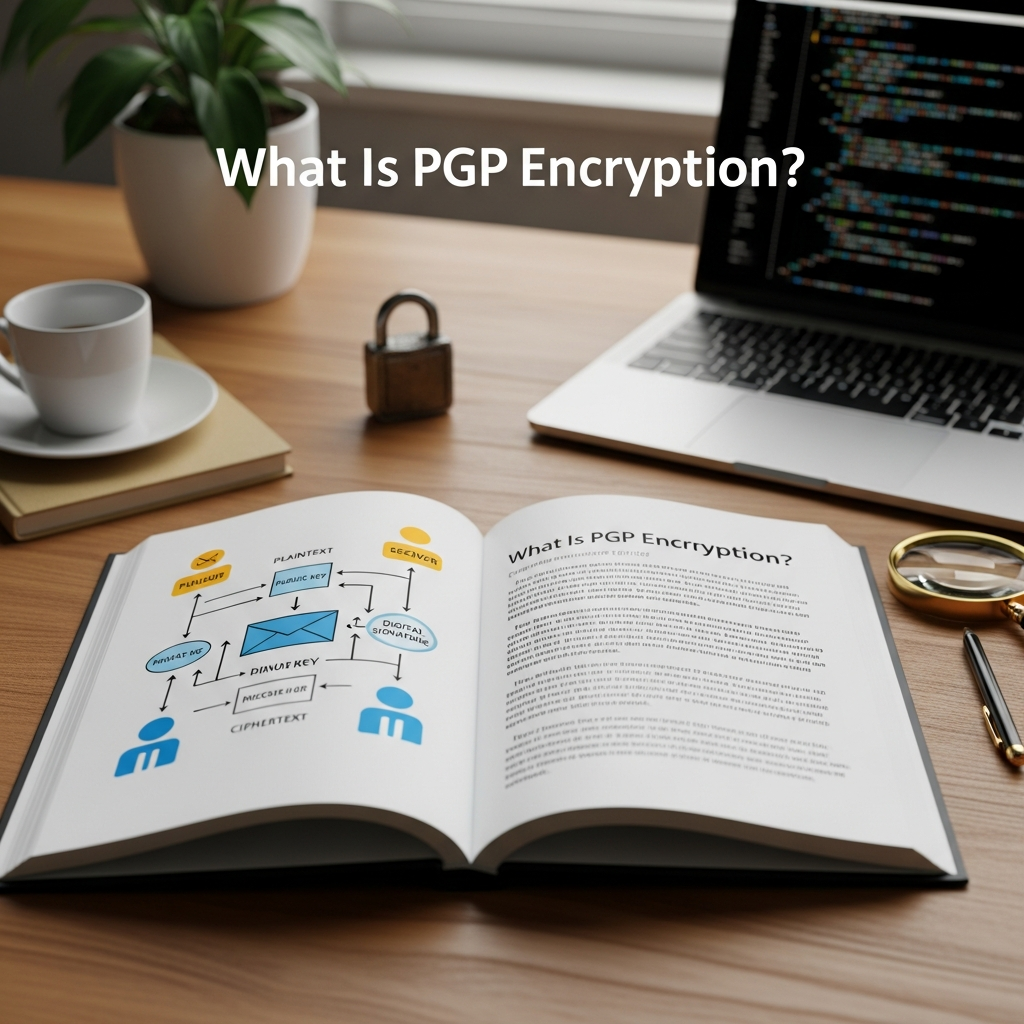
To understand PGP, you must first understand the difference between two types of encryption: Symmetric and Asymmetric. PGP is a “hybrid” system that combines the best of both worlds to provide speed and security.
1. Symmetric Encryption (The Single Key)
Symmetric encryption uses a single key to both encrypt and decrypt data. Think of it like a physical safe where one key opens and locks it. While fast, the problem is key distribution. How do you send the key to the recipient without someone else stealing it in transit?
2. Asymmetric Encryption (The Key Pair)
Asymmetric encryption, also known as Public Key Cryptography, solves the distribution problem by using two different keys:
- The Public Key: This is like your home address or a public mailbox. You can give it to anyone. People use your public key to encrypt messages meant for you.
- The Private Key: This is like the key to your front door. You must never share it. You use your private key to decrypt the messages sent to you.
3. The PGP Hybrid Approach
When you send a message using PGP, the software follows a sophisticated multi-step process:
- PGP generates a random, one-time-use Session Key.
- The actual data is encrypted using this session key (Symmetric encryption for speed).
- The session key is then encrypted using the recipient’s Public Key (Asymmetric encryption for security).
- The encrypted data and the encrypted session key are sent together.
- The recipient uses their Private Key to decrypt the session key, then uses that session key to unlock the message.
Key Features of PGP Encryption
PGP does more than just scramble text. It provides a comprehensive suite of security features that ensure your data remains untampered and authentic.
Data Confidentiality
This is the primary function. By encrypting the content of an email or file, PGP ensures that even if a hacker, a service provider, or a government agency intercepts the data, they will see nothing but a meaningless string of characters.
Digital Signatures and Authenticity
How do you know that a message from “Alice” actually came from her? PGP allows you to digitally sign your messages. By using your private key to create a signature, the recipient can use your public key to verify that the message hasn’t been altered and that it truly originated from you. This provides non-repudiation, meaning the sender cannot later deny sending the message.
Integrity Checking
PGP uses a “hashing” algorithm to ensure that the data has not been modified during transit. If even a single character in the encrypted file is changed, the decryption process will fail, alerting you to a potential security breach.
PGP vs. GPG: What Is the Difference?
As you research PGP, you will frequently encounter the term GPG (GNU Privacy Guard). It is important to understand the relationship between the two:
- OpenPGP: This is the non-proprietary standard that defines how PGP encryption should work.
- PGP: This refers to the original software now owned by Broadcom (Symantec). It is a commercial product.
- GPG: This is a free, open-source implementation of the OpenPGP standard. It is the most popular tool used today because it is transparent, frequently updated, and completely free of charge.
The Benefits of Using PGP Encryption Today
You might wonder if PGP is still relevant in the age of apps like Signal or WhatsApp. While those apps are excellent for instant messaging, PGP offers unique advantages for professional and long-term security:
- Platform Independence: PGP is not tied to a specific company or app. You can use it across different email providers and operating systems.
- Long-term Storage: You can use PGP to encrypt files on your hard drive or in the cloud, ensuring they remain private for years.
- No Central Authority: PGP relies on a “Web of Trust.” You don’t have to trust a central server to manage your keys; you are in total control.
- Email Security: Most standard email (Gmail, Outlook) is not end-to-end encrypted. PGP adds a layer of security that the providers themselves cannot bypass.
Step-by-Step Guide: How to Use PGP Encryption
Setting up PGP may seem daunting, but modern tools have simplified the process significantly. Follow these steps to get started.
Step 1: Install a PGP Client
Depending on your operating system, you will need a software interface to manage your keys:
- Windows: Download Gpg4win (includes the Kleopatra key manager).
- macOS: Download GPG Suite.
- Linux: Most distributions come with GnuPG pre-installed.
Step 2: Generate Your Key Pair
Open your key manager and select “New Key Pair.” You will be asked for your name, email address, and a Passphrase. Important: Your passphrase is the password that protects your private key. If you forget this, you will lose access to all your encrypted data. Choose a long, complex sequence of words.
Step 3: Export and Share Your Public Key
To receive encrypted messages, others need your public key. You can:
- Upload it to a Public Key Server (like keys.openpgp.org).
- Paste the “Public Key Block” (the text starting with —–BEGIN PGP PUBLIC KEY BLOCK—–) on your website or social media profile.
- Send it directly to your contacts via email.
Step 4: Encrypting a Message
To send an encrypted message to a friend, you must first import their public key into your key manager. When writing your message, select the option to “Encrypt” and choose your friend’s key. The software will handle the complex math in the background.
Potential Drawbacks and Limitations
While PGP is incredibly secure, it is not a “magic bullet.” You should be aware of its limitations:
- Metadata Exposure: PGP encrypts the content of your email, but it does not hide the metadata. An observer can still see who you are emailing, the subject line (in some configurations), and the timestamp.
- Complexity: There is a learning curve. If you lose your private key or forget your passphrase, your encrypted files are gone forever. There is no “Forgot Password” button in PGP.
- Key Management: You must be diligent about verifying that the public key you are using actually belongs to the person you think it does. This is often done by verifying the “Key Fingerprint” over a secondary channel (like a phone call).
Frequently Asked Questions (FAQ)
Is PGP encryption unhackable?
Mathematically, PGP is considered extremely secure. Using a 4096-bit RSA key would take current supercomputers billions of years to crack via brute force. Most “hacks” occur because the user’s computer is infected with malware or the private key was stolen, not because the encryption itself was broken.
Can I use PGP on my smartphone?
Yes. There are apps like OpenKeychain (Android) and PGPro (iOS) that allow you to manage keys and encrypt/decrypt messages on the go. However, mobile devices are generally considered less secure than “hardened” desktop environments.
What happens if I lose my private key?
If you lose your private key and do not have a backup, you will never be able to decrypt messages sent to that key again. It is vital to keep a secure backup of your private key, perhaps on an encrypted USB drive in a physical safe.
Does PGP encrypt the subject line of an email?
Historically, no. Most PGP implementations only encrypt the body of the message and attachments. Modern standards like Memory Hole are working to address this, but as a general rule, you should always keep your subject lines vague.
Conclusion: Taking Control of Your Digital Privacy
PGP encryption is a powerful tool that puts the power of privacy back into your hands. While it requires a bit of effort to set up and understand, the peace of mind it provides is invaluable. Whether you are protecting trade secrets, sensitive personal documents, or simply exercising your right to private conversation, PGP remains the most trusted method for securing the digital world.
By generating your first key pair today, you are taking a significant step toward a more secure and private digital life. Remember: in the world of cybersecurity, you are your own best advocate.